



The user can view the units list individually and in groups. In this list, the User can manage the list by adding and deleting them.
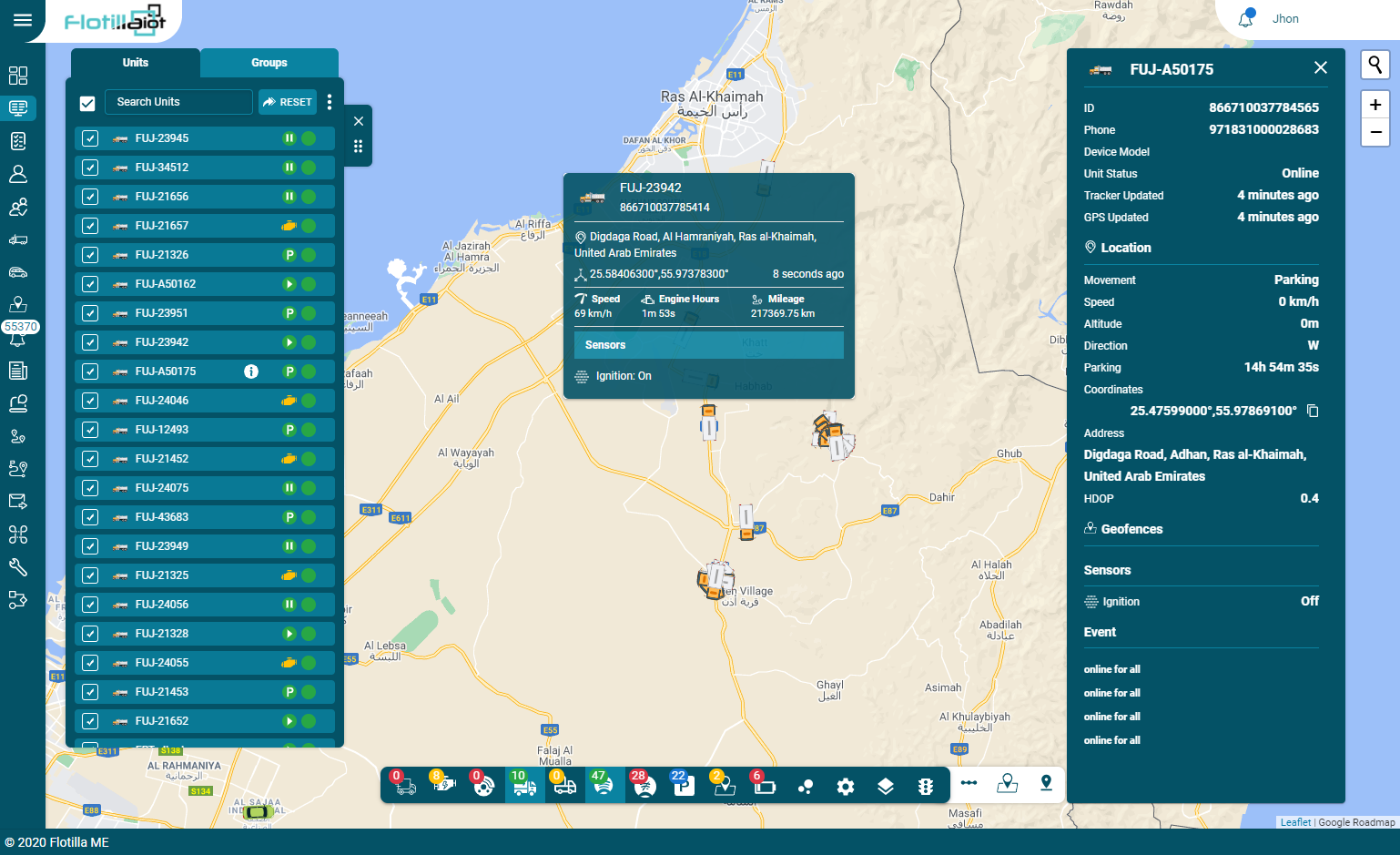
- The sorting of the units can be done name-wise and device status-wise.
- The status of the vehicle in the list is shown by small icons next to its name.
- To find the required unit in the list, use the search field above the list.
- The color of the circle near the unit’s name indicates the current status of the unit.
- Green circle indicates: Unit is online
- Red circle indicates: Unit is offline
- Blue circle indicates: GPS is not updated.
- The grey circle indicates: Unit is not registered yet.
- To follow a unit on the map, click on its name in the units list. As a result, the map centers and zooms in on the selected unit.
- The user can also select all units at once by selecting the check box “Select All” in the top left corner of the units list.
- To cancel the selection of all units, uncheck the “Select All” check box.
- By clicking on the ‘Vehicle Filter’ and ‘Staff Filter’, you can search the units based on vehicle and staff filters.
- In the horizontal bar, the changing status of the units can be viewed in real time.
- The user can view the details by clicking on the “View details” button. All details of the unit appeared with the unit status, movement status, etc.
The user can also set the movement status and monitor status changes, such as moving, idling, towing, etc.
Units Group
- By clicking on the groups user can view the group list on the monitoring screen.
- The user can create groups and assign units to groups, and name these groups. Group management can be done in the units tab.