


The Tracks module shows vehicle trips on the map, so you can review movements and analyze trip activity over a selected period.
15.1 Viewing Trips
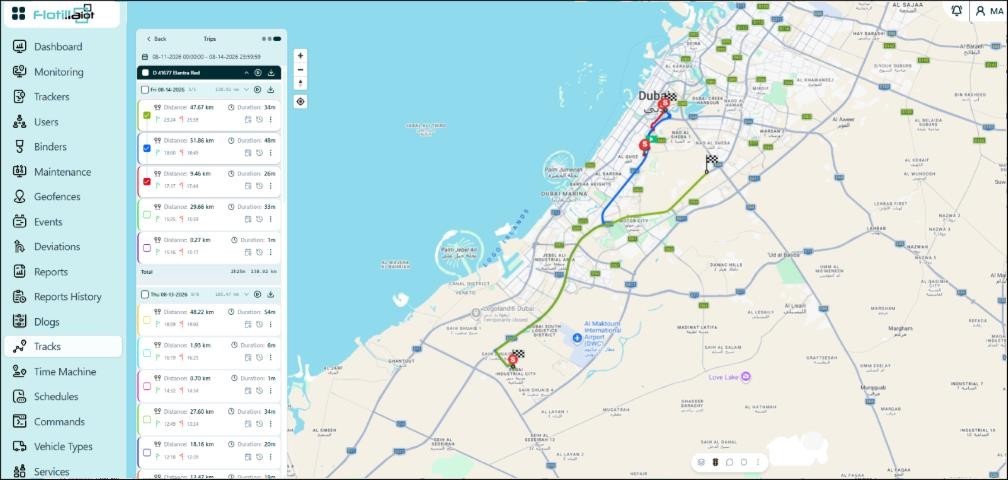
- Select the time range and the device, then click Submit to load the trips.
- Trips are grouped by day. Each trip shows its distance, duration, and start and end times, and a total row summarizes each day.
- Use the checkboxes to draw individual trips on the map in different colors, with start (S) and finish markers.
- Use a trip’s row menu to play it back, download it or open it in the Time Machine.
15.2 Uploading Tracks
Use the Upload track option to import an external track file and show it on the map.