


The Commands module configures remote commands and sends them from the platform to the tracking devices installed in vehicles. A typical example is an engine block/unblock command, wired to a vehicle relay through a device output.
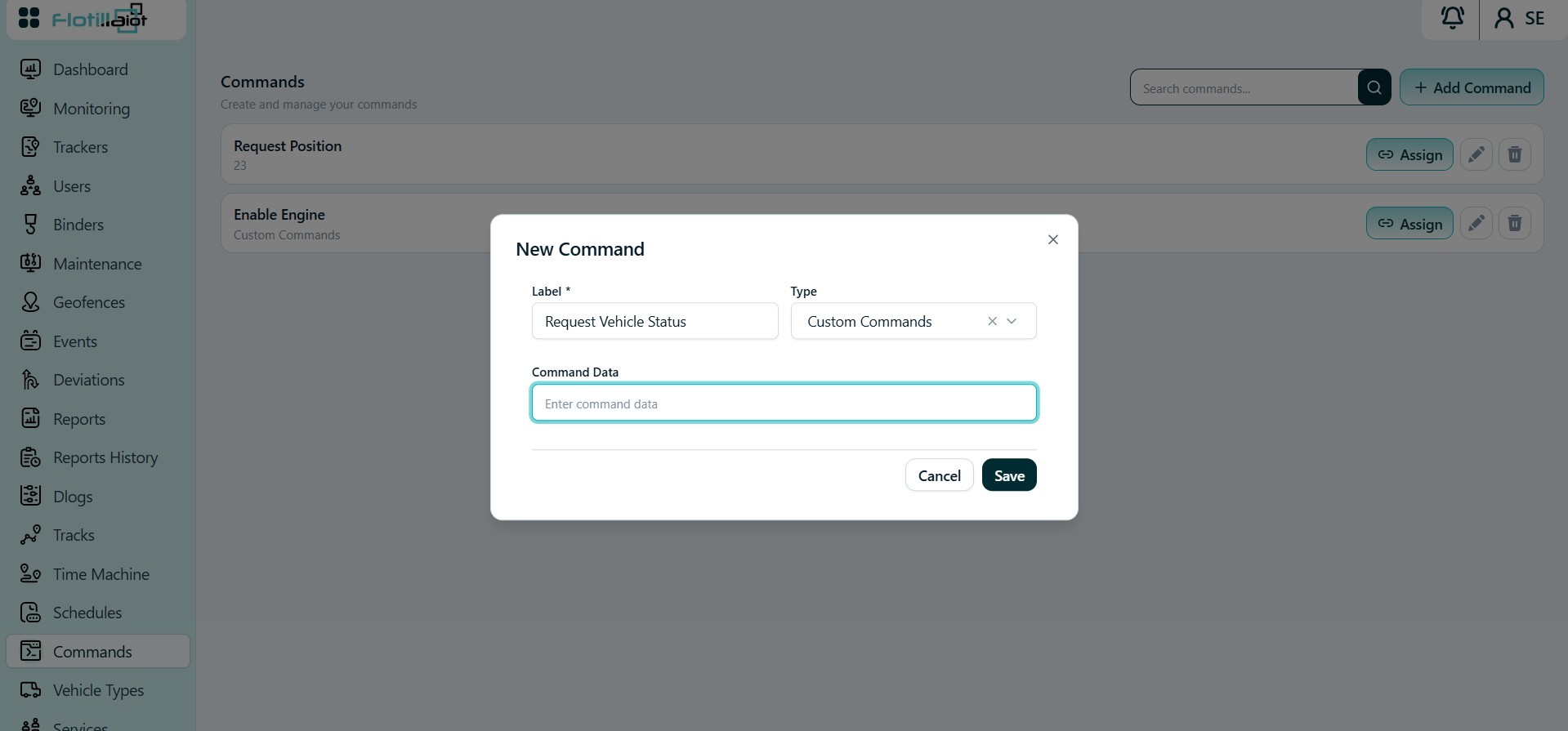
18.1 Creating and Sending a Command
- Click + Add Command and enter the command name and its command data string.
- Check that the syntax matches the protocol and firmware of the device model.
- Click Assign to attach the command to specific units. You can also assign supported commands from Trackers → Unit Settings → Commands.
- Send assigned commands from the Monitoring module.
IMPORTANT Commands depend on the device model. A command with the wrong syntax for the device protocol or firmware will not work as intended.