


The Maintenance module manages vehicle service reminders and maintenance expenses across the fleet.
8.1 Summary Cards
The top of the module shows the total number of maintenance items and total expenses in AED, broken down into Reminder, Scheduled, Due, Completed and Overdue, each with its own cost subtotal.
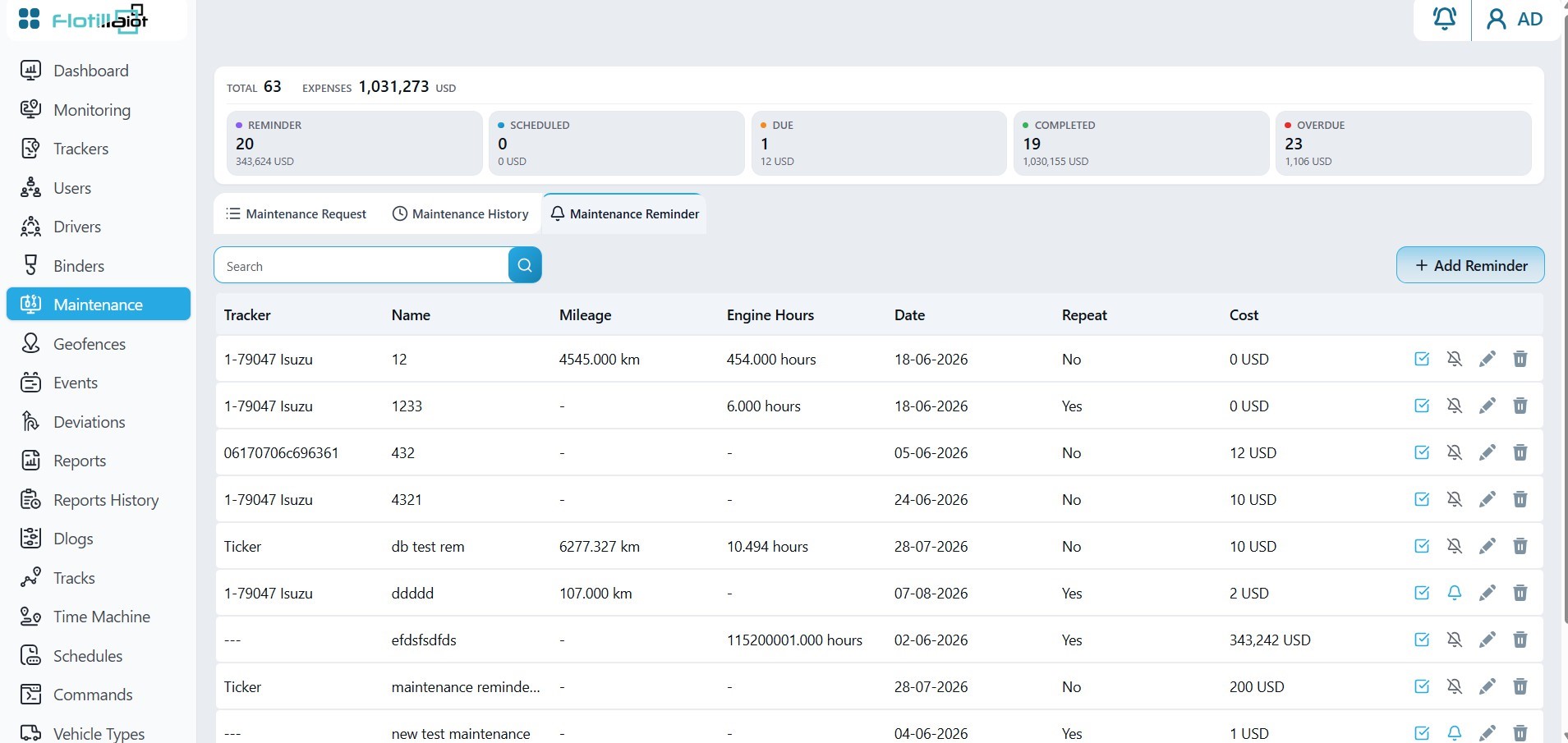
8.2 Creating a Reminder
- Click + Add Reminder and select the tracker.
- Choose what triggers the reminder: mileage, engine hours or date.
- Optionally set a repeat interval so the reminder recurs.
- Enter the service name, the target value and the cost, then save.
8.3 Reminder Lifecycle
Each reminder is tracked through the statuses shown in the summary cards: Reminder, Scheduled, Due, Completed and Overdue.
- A reminder becomes Due when its target mileage, engine hours or date is reached.
- A reminder that is due but not completed becomes Overdue.
- Mark a due reminder as Completed from its row once the service is done.
TIP You can also link a unit to its reminders from Trackers → Unit Settings → Maintenance.