


The Time Machine replays vehicle movement for any selected period, showing exactly how a unit moved, stopped and operated over time.
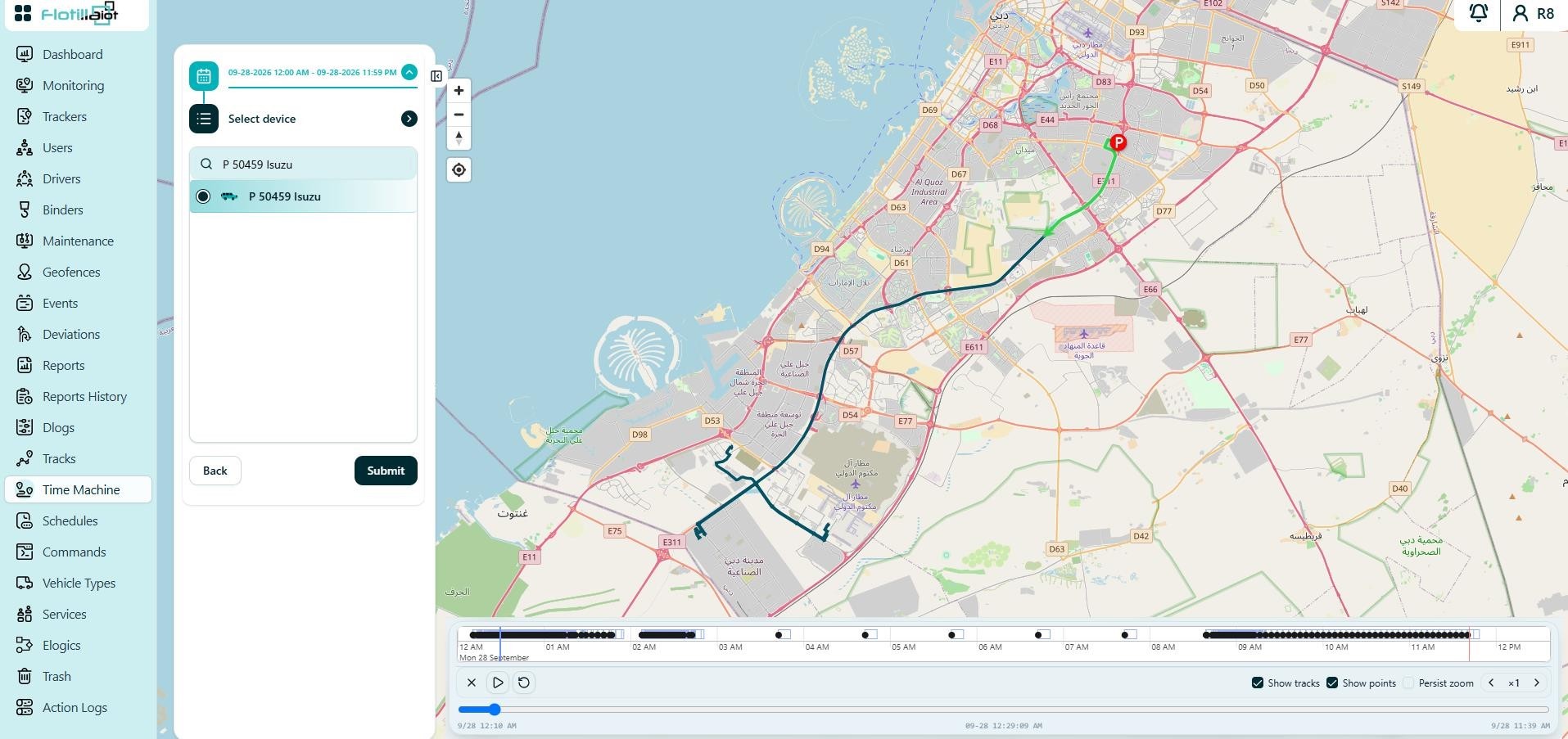
16.1 Using Playback
- Select the device and a time range, then click Submit to load the playback.
- The route is drawn on the map, and an activity bar shows movement intensity for every hour of the day.
- Use the playback controls: play/pause, restart, playback speed (for example ×10), Show tracks, Show points and Persist zoom.
- Drag the timeline to jump to any moment in the selected period.
NOTE The maximum range for Time Machine playback is 1 day. You can also open a trip here directly from the Tracks module.