


The Geofences module creates and manages geographic zones on the map, so you can monitor and control what happens inside important areas such as depots, customer sites and restricted zones.
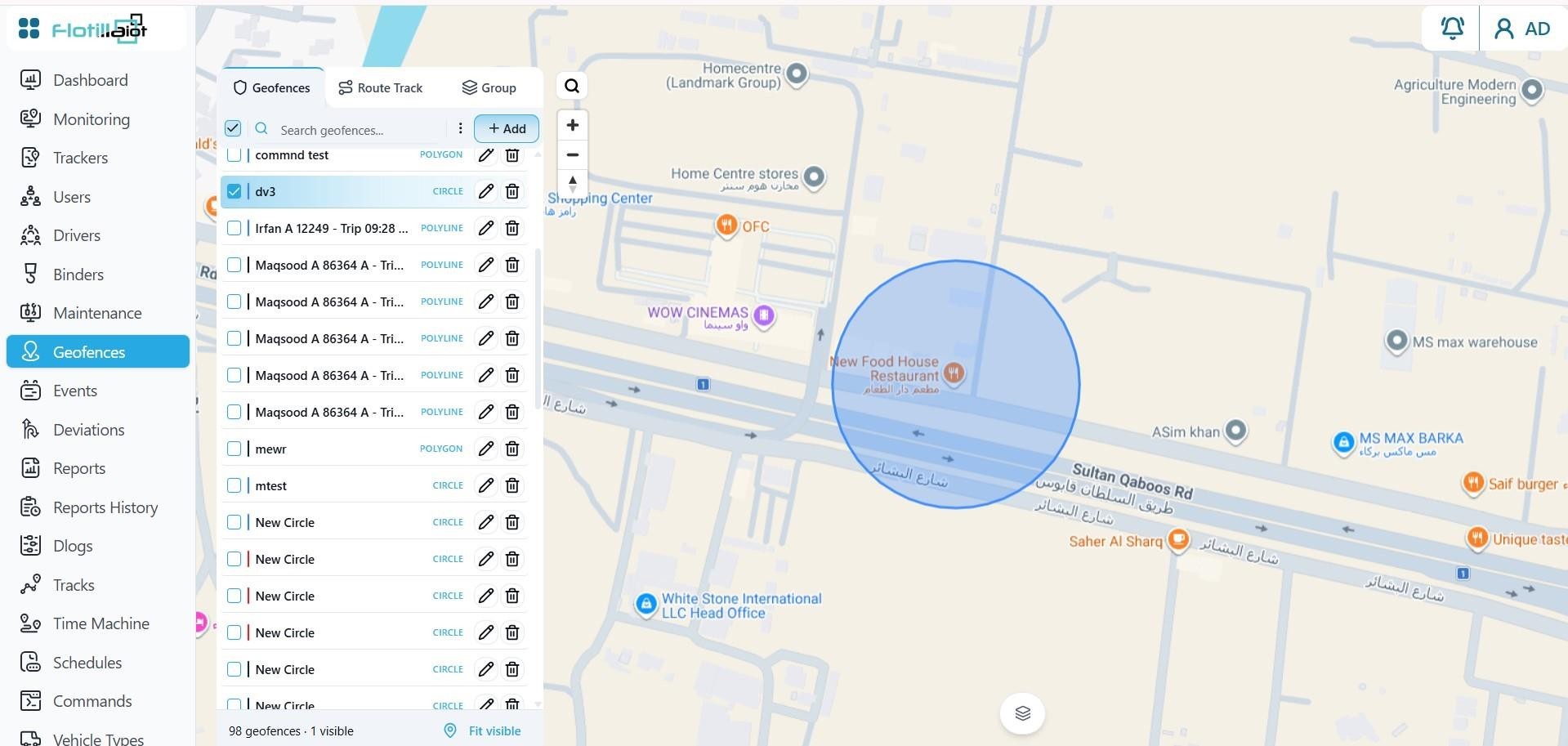
9.1 Creating a Geofence
- Click + Add and draw the shape on the map.
- Give the geofence a name and save it.
- Set up notifications in Events for geofence entry and exit (see Chapter 10).
9.2 Managing Geofences
- Existing geofences are listed in the left panel with their type (for example Polygon). Each one can be edited or deleted.
- Use the checkboxes to choose which geofences are shown on the map, and Fit visible to zoom to them.
- The Route Track tab manages route-based tracks, and the Group tab organizes geofences into groups.
9.3 Where Geofences Are Used
- The Dashboard shows how many devices are inside each geofence right now.
- Monitoring shows which geofences a unit is currently inside.
- The Geofence and Geofence Summary reports analyze entries, exits and time spent inside each zone.
- Events can alert you when a unit enters or leaves a geofence.