Fleet Management Platform · Flotilla IoT
Managing a fleet means keeping track of drivers, tracking devices, vehicle activity, and maintenance, and that gets complicated when the systems are not connected. Flotilla V3 brings more than 20 modules into one fleet management platform. This overview explains what each module does and how the modules support the daily work of a fleet team.
Quick answer
Flotilla V3 is a fleet management and maintenance platform with more than 20 modules. They cover fleet visibility, resource management, geofences and events, trip history, reporting, maintenance, device control and administration, so fleet teams can manage everything from one place.
20+
Modules for fleet visibility, resources, history, reports, maintenance, and administration
7
Core feature areas that work together
4
User groups served: managers, dispatchers, operators, and administrators
Managing a fleet requires oversight of many systems, including driver management, tracking devices, vehicle activity, and maintenance requirements. It gets complex when these systems are not integrated.
The best way to organize them is to use a fleet management platform. Flotilla V3 has more than 20 modules devoted to the management and administration of fleets. This article reviews those modules and describes how they support the day-to-day activities of a fleet manager. For a wider view, see our fleet management system page.
Flotilla V3 is a fleet management and maintenance platform with modules that cover the main operational functions of a fleet. It is designed for fleet managers, dispatchers, vehicle operators, and system administrators.
Rather than using numerous applications, users can monitor vehicles and devices, view events and records, generate reports, and manage administration from a single platform. Each module addresses one operational function, which gives fleet teams an organized view of their day-to-day work.
Flotilla V3 includes more than 20 modules covering fleet visibility, resource management, tracking history, reporting, maintenance, device control, and administration. These modules work together to support different stages of fleet management. The table gives a quick overview.
| Feature area | Modules | What it helps you do |
|---|---|---|
| Fleet dashboard and monitoring | Dashboard, Monitoring | See fleet status and live positions at a glance. |
| Resource management | Trackers, Drivers, Binders, Vehicle Types | Organize devices, drivers, passengers, trailers and vehicle classes. |
| Geofences and notifications | Geofences, Events | Define areas and receive alerts on fleet activity. |
| Trip history | Tracks, Time Machine, DLogs, Trip Review | Review past routes, stops, and raw device data. |
| Reporting | Reports, Report History, Schedules | Generate, store and automate reports. |
| Maintenance | Maintenance | Plan service, reminders, due dates and costs. |
| Device control and accountability | Commands, E-Logics, Users, Action Logs, Trash | Control devices, permissions and records. |
Modules: Dashboard, Monitoring
The Dashboard module presents an overview of the fleet: vehicle status, tracker connectivity, driver assignments, motion status, engine status, offline units, alerts, and geofence activity. Users can review these details on a single screen instead of checking each record individually. A fleet manager can quickly spot offline vehicles and units that are in motion.
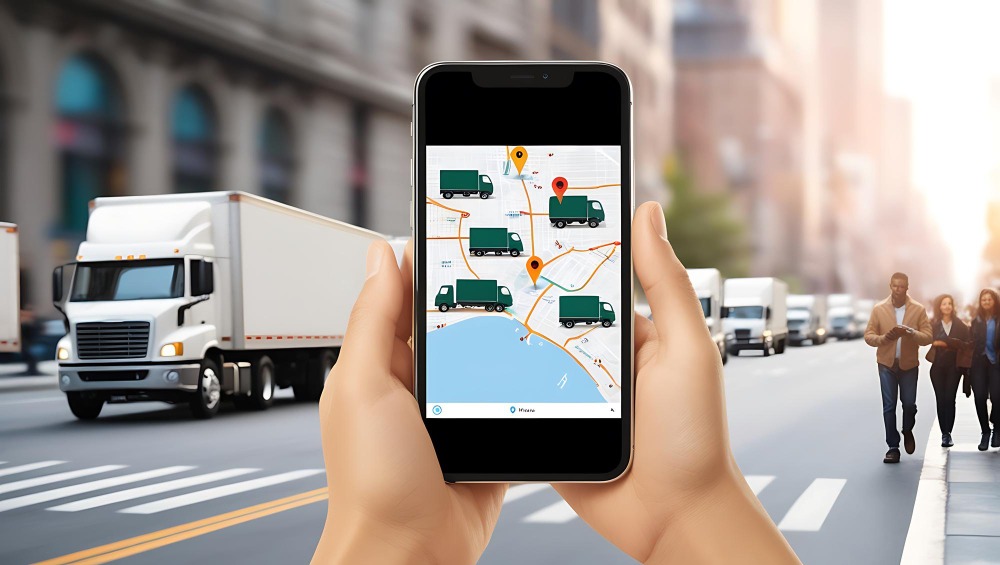
The Monitoring module provides a live map view of tracking units, sensors, and geofences. Together with the Dashboard, it helps users understand the condition of the fleet and identify items that need attention.
Modules: Trackers, Drivers, Binders, Vehicle Types
Accurate management of fleet resources requires knowledge of vehicles, drivers, and related assets. The Trackers module is where tracking units, sensors, and other devices are registered and configured. It helps organize the devices used for tracking and monitoring. See our hardware partners for supported devices.
The Drivers module creates and updates driver records and identification, and associates drivers with groups. The Binders module does the same for passenger and trailer records. The Vehicle Types module lets the administrator define vehicle types to suit the classification and structure of the fleet. Together, these modules give users an organized, complete view of their resources.
Modules: Geofences, Events
The Geofences module lets users define geographical boundaries on a map and use them to monitor and control vehicle movements within selected areas.
The Events module manages notification events generated by fleet and tracking unit activity, including geofence activity. If configured, a geofence can generate an event when a vehicle enters or leaves a defined area. Notifications are particularly useful for managing fleet operations. For example, a notification can track a vehicle as it leaves one geofenced area and travels to another.
Modules: Tracks, Time Machine, DLogs, Trip Review
To analyze routes and trips, you need to know what vehicles did in the past. The Tracks module shows previous trips on a map, with route information, distance covered, duration, and trip start and end times.
For deeper investigation, the Time Machine module replays historical vehicle movements and helps review earlier routes and stops. DLogs gives access to the raw information captured by tracking devices, so users can review and analyze device movement. The Trip Review module also helps review vehicle movement.
Modules: Reports, Report History, Schedules
The Reports module generates different types of reports on vehicle and fleet information, and helps review and analyze records. Report types are configurable and depend on the information selected.
The Report History module stores previously generated reports, so users can retrieve information without generating a new report. The Schedules module automates report generation and delivery, so teams receive periodic reports at pre-configured times.
Modules: Maintenance
The Maintenance module lets users store and manage the servicing requirements of fleet vehicles. Users can create reminders for scheduled maintenance and track due dates and costs. It consolidates maintenance requirements, service responsibilities, and service records, and keeps a record of fleet-related expenses. Managers get a combined view of maintenance needs for planning daily operations.
Modules: Commands, E-Logics, Users, Action Logs, Trash
Flotilla V3 also offers modules for the configuration and administration of devices. The Commands module lets users send supported remote instructions from the platform to connected tracking devices, giving a single point of control for supported device functions.
E-Logics provides automated, customized functions for input and output processing, plus rules for logic and arithmetic. The Users module lets administrators manage account and resource access permissions. Action Logs keeps a record of activities and user actions, and Trash holds deleted records so they can be restored.
Please note
Available functions can depend on your hardware, your plan, and the commands your devices support. Book a demo to see what is available for your setup.
Each module performs a different but related task. A typical day for a fleet manager might look like this.
Together, these steps organize the team’s workflow.
Flotilla V3 supports many users involved in fleet operations. Each can work with the functions that fit their responsibilities.
Fleet managers can review the status of vehicles, check service requirements, and look at operational reports.
Dispatchers and operators can see the current position and movement of vehicles and review events linked to the fleet.
System administrators can edit and configure user and tracking device settings, and review logs of system activity. Our user structure page explains how access is organized.
Fleet management Software is about more than vehicle location. Businesses need organized systems to manage drivers, tracking devices, company assets, maintenance schedules, historical trips, and operational reports. Flotilla V3 unifies these areas through more than 20 integrated modules, so fleet managers, dispatchers, operators, and administrators can access the features they need on one platform.
Real-time monitoring and geofencing, automated reports and device control are just some of what Flotilla V3 offers. Overall, the modules help teams gain better control over fleet activity and simplify day-to-day responsibilities.
Effective fleet management is essential for any business with transport activity. Flotilla IoT’s fleet management platform simplifies operational management and gives you better control over your fleet. Take a tour of Flotilla V3 to see how it can support your team, or explore the user guide and product manuals.
Flotilla V3 is a fleet management and maintenance platform with more than 20 modules. It helps fleet managers, dispatchers, operators, and administrators monitor vehicles and devices, review events, generate reports, and manage administration from one place.
Flotilla V3 has more than 20 modules. They cover fleet visibility, resource management, geofences and events, trip history, reporting, maintenance, device control and administration.
The Dashboard shows an overview of the fleet, including vehicle status, tracker connectivity, driver assignments, motion and engine status, offline units, alerts and geofence activity.
The Geofences module defines boundaries on a map. The Events module manages notifications, so a configured geofence can generate an event when a vehicle enters or leaves the area.
Tracks shows past trips on a map with route, distance, duration, and start and end times. Time Machine replays historical movements and stops. DLogs gives access to the raw data captured by tracking devices.
Yes. The Reports module generates configurable reports, Report History stores earlier reports, and Schedules automates report generation and delivery at pre-configured times.
Yes, for supported functions. The Commands module sends supported remote instructions from the platform to connected tracking devices. Available commands depend on the device.
Fleet managers, dispatchers, vehicle operators, and system administrators use it. Each group works with the functions that match their responsibilities.
Book a demo to see the dashboard, monitoring, reports, and maintenance modules in action.